Features - Part 3
Advanced Integration
ContainEye bridges the gap between your server and your device ecosystem with SFTP files, the Agentic AI assistant, and Apple Shortcuts.
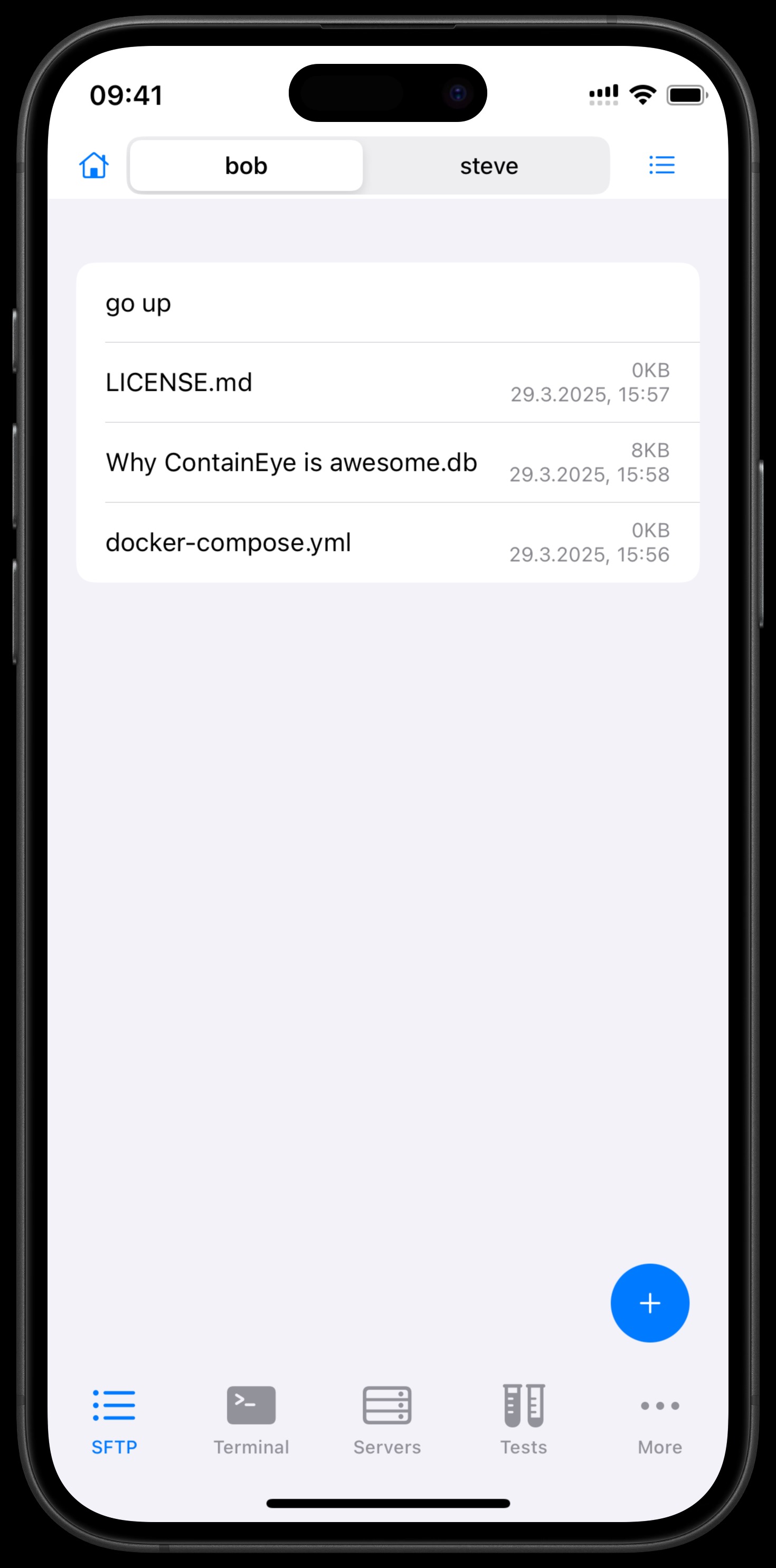
SFTP Files
Browse your server's files over SFTP using the same credentials as SSH: go up and down directories, navigate to a path, toggle hidden files, upload (multi-select with progress), create folders and files, rename or delete, and export or open any file, including a full-screen text editor that saves changes straight back to the server. From the terminal, pressing Enter after open/nano/vim/nvim <file> can open the file right in this editor.
Agentic AI Assistant
A conversational assistant that lists your servers, runs approved commands, reads and writes files, and creates or updates tests and snippets for you, with every server command going through an approval dialog (Allow Once, Always Allow "…" Commands, Always Allow All Commands, Deny, Cancel) unless you allow it permanently.
Power Automations
Trigger server tests with the Test Servers and Run a single Test Shortcuts actions. They run in the background without opening the app, so you can schedule them by time of day, location, or other automations. The home-screen Test Widget shows your most important test and re-runs it in one tap. All connections are direct and native.